

Table of Contents
Introduction
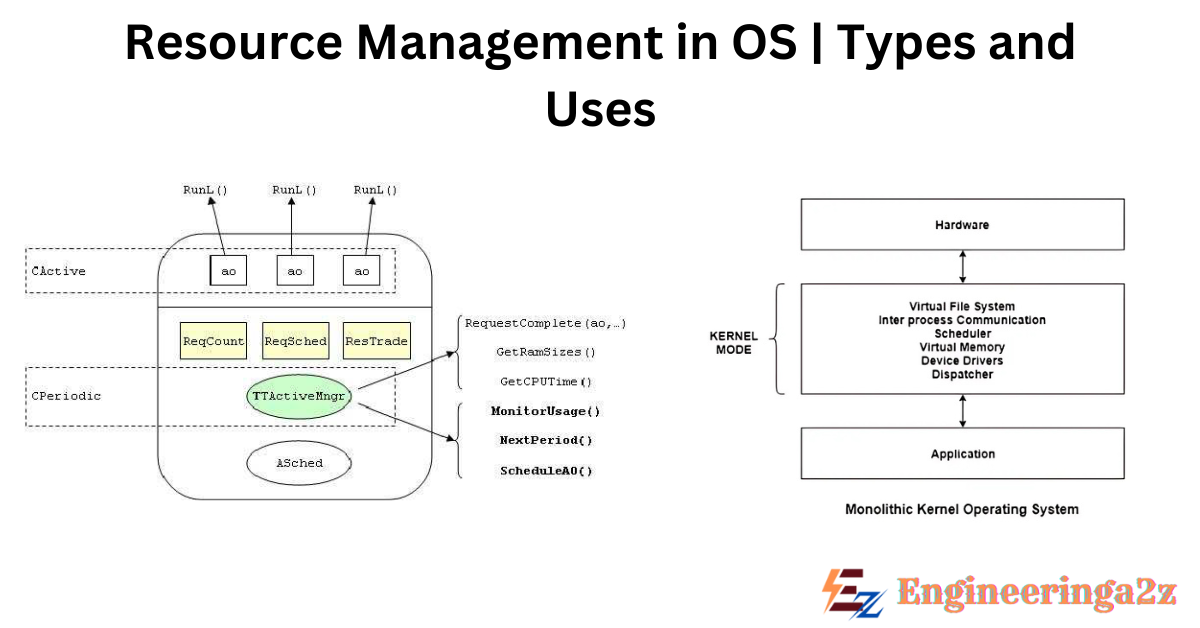
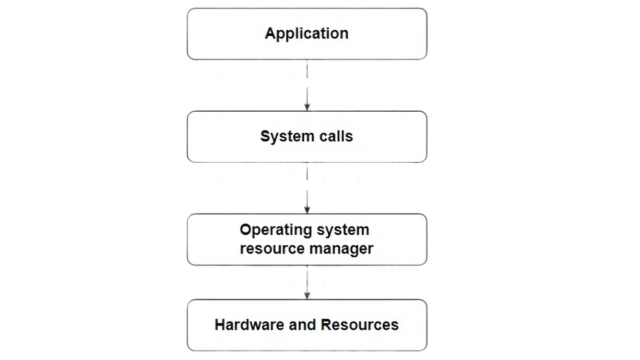
An operating system is basically a resource manager. There are many parts of resource management inside an OS. Resource management is the way an operating system (OS) shares, controls and makes the best use of different hardware and software resources between the many processes and users on a computer system.
Types of Resource Management
1. Process Management
A program cannot do anything until the CPU runs its instructions. A program that is running is called a process. For example a compiler is a process and a word processor that one user is using on a PC is also a process. Even a social media app on a mobile phone is a process.
For now you can think of a process as one running copy of a program, but later you will see that the idea is a bit bigger than this. It is also possible to use system calls that let a process create subprocesses and these can run at the same time.
A process needs some resources to complete its task, like CPU time, memory, files and I/O devices. These resources are given to the process when it is created or while it is running. Along with these, some input data can also be passed to the process when it starts.
Uses of Process Management
- It can create and delete both user processes and system processes.
- It schedules processes and threads on the CPUs.
- It provides ways for process synchronization.
2. Memory Management
Main memory is very important for the working of a modern computer system. It is a big array of bytes and its size can go from hundreds of thousands to billions of bytes. Every byte has its own address. Main memory stores data that can be accessed quickly and it is shared by the CPU and the I/O devices. The CPU reads instructions from main memory during the instruction fetch cycle and it both reads and writes data in main memory during the data fetch cycle (on a von Neumann architecture).
Main memory is usually the only big storage device that the CPU can address and access directly. For example, if the CPU wants to process data from the disk, that data must first be moved to main memory using CPU generated I/O calls. In the same way, instructions must be in memory before the CPU can execute them.
Uses of Memory Management
- Keeping track of which parts of memory are being used right now and which process is using them.
- Deciding which processes and data to move into and out of memory
- Allocating and deallocating memory space when needed.
3. File-System Management
File management is one of the most visible parts of an operating system. Computers can store data on many different types of physical media. Secondary storage is the most common, but tertiary storage is also possible. Every one of these media has its own features and physical structure.
Most of them are controlled by a device like a disk drive, which also has its own features. These features include access speed, capacity, data transfer rate and access method (sequential or random).
Uses of File-System Management
- Creating and deleting files.
- Creating and deleting directories to organize files.
- Mapping files onto mass storage
- Backing up files on stable (nonvolatile) storage media
4. Mass-Storage Management
In a modern computer system, HDDs and NVM devices are used as the main online storage media for storing programs and data. Most programs, including compilers, web browsers, word processors and games, are stored on these devices until they are loaded into memory. The program then use these devices as both the source and the destination of its processing. So, proper management of secondary storage is of central importance to a computer system.
Uses of Mass-Storage Management
- Mounting and unmounting.
- Free-space management.
- Storage allocation
- Disk scheduling
- Partitioning
5. I/O System Management
One of the purposes of an operating system is to hide the special features of specific hardware devices from the user. For example in UNIX, the features of I/O devices are hidden from most of the operating system itself by the I/O subsystem.
Uses of I/O Management
- In memory management, they have the capability of caching the files and processes.
- A general device-driver interface.
- Drivers for specific hardware devices.
Frequently Asked Questions(FAQs)
-
What is resource management?
It is the dynamic allocation and de-allocation of processor cores and some other resources by an operating system.
-
Why OS is a resource manager?
Because operating system must decide which process will get the resources, when, and for how long, so the computer system run fairly and efficiently.
-
What are the five main resource management in the operating system?
1. Process management
2. Memory management
3. File system management
4. Mass storage management
5. I/O management
Related Posts
- Operating System | Functions, User Interface and Applications
- IP Addresses | Types, Working, Classifications

- Generation’s of Operating System and Computer Hardware
- System Calls in OS | Monolithic and Layered Systems
- OSI Model | Seven Layers Of OSI Model and Working

- Processes and Threads in Operating System





Leave a Reply